
Home health personnel files that keep themselves
Staff send a photo or a PDF. Benson reads it, checks the name and the dates, and saves it in the right person's file under the right item, with its expiration date set. Every version is kept, and the file is ready when a surveyor asks.
Approval Queue
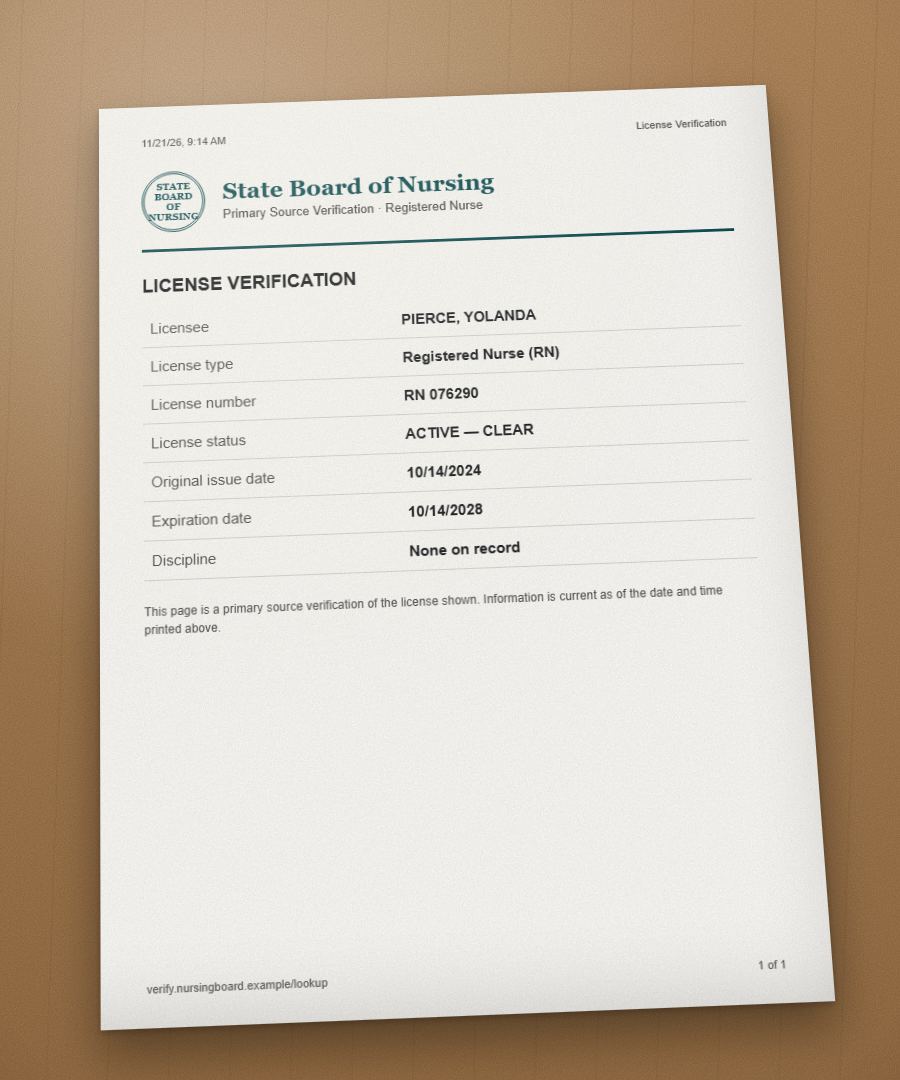
 Yolanda PierceProfessional LicenseDate conflict4d
 Gregory NashDriver's License3d
 Daniel OkonkwoCPR Certification2d
 Nadia PetrossianTB Test2d
 Marisol VegaAuto Insurance1d
 Lucia RomeroTB Test1d
 Priya RaghunathanFlu Vaccinationtoday
 Henry OyelaranFlu Vaccination2d
| Approved on | Employee | Compliance item | Document | Approved by | |
|---|---|---|---|---|---|
| Nov 3, 9:12 AM | Beatriz Salcedo | CPR Certification | CPR card — Beatriz Salcedo | Jordan Rivera | Details |
| Nov 3, 8:40 AM | Emily Chen | TB Test | TB test — Emily Chen | Automatically | Details |
| Nov 1, 4:05 PM | Grace Kim | Driver's License | Driver's license — Grace Kim | Jordan Rivera | Details |
| Oct 30, 11:20 AM | Darnell Washington | Auto Insurance | Insurance card — Darnell Washington | Automatically | Details |
| Oct 28, 2:48 PM | Colin Whitaker | Flu Vaccination | Flu shot record — Colin Whitaker | Jordan Rivera | Details |
| Oct 27, 9:30 AM | Fatima Diallo | Background Check | Background check — Fatima Diallo | Jordan Rivera | Details |
| Oct 24, 10:05 AM | Ayesha Rahman | TB Test | TB test — Ayesha Rahman | Automatically | Details |
| Oct 22, 3:41 PM | Angela Brooks | Auto Insurance | Insurance card — Angela Brooks | Jordan Rivera | Details |
| Oct 20, 8:58 AM | Henry Oyelaran | Driver's License | Driver's license — Henry Oyelaran | Automatically | Details |
| Oct 17, 1:12 PM | Grace Kim | CPR Certification | CPR card — Grace Kim | Jordan Rivera | Details |
A personnel file is only as good as the last document someone remembered to save.
Documents arrive everywhere
A TB result comes by text, a license by email, a CPR card on the front desk. Someone saves each one by hand.
Each person sends documents from their own private link. They land in their file, under the item they belong to.
Dates are typed in twice
Someone files the document, then types its expiration date into the tracker, and hopes the two agree.
Benson reads the dates off the document and sets them on the item. If something doesn't match, it waits for you and says why.
Bad photos get filed
A blurry or cut-off picture is saved as proof, and nobody notices until a survey.
A photo that can't be read can go back to the person on its own, asking for a clearer one.
Old versions disappear
The new license replaces the old one, and the record of what was on file, and when, is gone.
Every version is kept with its dates, and a report shows who was up to date on any past date.
Documents file themselves.
Every document that needs a decision waits in one queue: whose it is, what it's for, the dates read from it, and the reason it's waiting. Approve it, correct it, or send it back for a better copy, or let clear documents file on their own.
- The document shown beside what Benson read from it
- Review every document, or let clear ones file on their own
- Anything unclear waits with the reason shown, like a date that doesn't match
Three steps. Then it runs.
Staff send it
From the private link in a reminder or their onboarding email, they take a photo or pick a PDF. Nothing to install.
→Benson reads it
The name and dates are read and checked against the person and the item. Clear documents file on their own if you allow it.
→You decide the rest
Anything uncertain waits in the queue with the reason shown. Approve it, correct it or send it back.
→What agencies ask about this.
What can staff send?
A photo taken on their phone, or a PDF. Each one is saved under the person and the compliance item it belongs to.
What if a date is read wrong?
Anything uncertain waits for you with the reason shown, and any filing can be corrected. You can also choose to review every document before it's filed.
Can we get the whole file out?
Yes. One person's full profile prints in one click, and you can export every record and document as a ZIP at any time, including for 30 days after you cancel.
More answers on the home page FAQ.
The rest of Benson HR
Watch a document file itself on the demo.
We send an upload link to a test address, take a photo of a card, and you see it read, dated and filed in the person's file.